


Enhancing television audio has become a priority for many viewers seeking a more immersive experience. Traditional built-in speakers often lack the depth and clarity required for movies and music. Fortunately, modern technology provides simple solutions for connecting external audio devices without the clutter of wires. Understanding these connection methods allows users to upgrade their home entertainment setup with ease, enjoying superior sound quality in just a few minutes.
What Wireless Connection Options Are Available
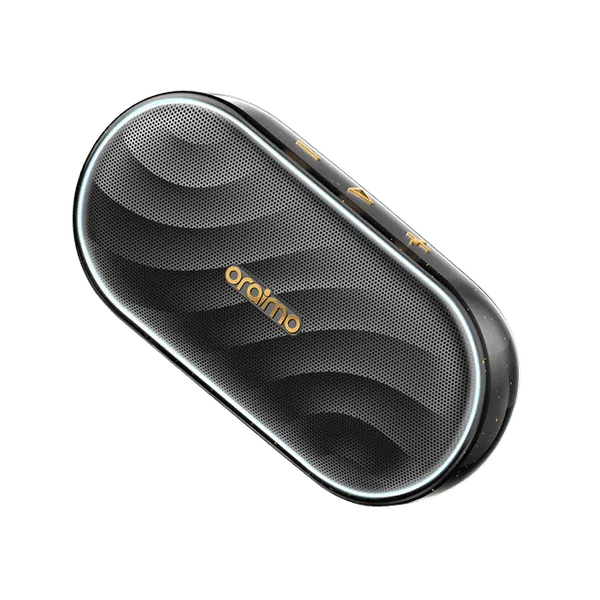
The most common method for linking audio devices to a television involves Bluetooth technology. Most modern TVs come equipped with built-in Bluetooth capabilities, allowing them to pair directly with compatible audio equipment. To establish this connection, users must access their television settings, navigate to the sound output section, and select the Bluetooth pairing mode. The audio device must also be set to discoverable mode simultaneously. Once the devices recognize each other, a simple confirmation establishes the link. Wireless speakers from a brand like oraimo typically feature straightforward pairing processes, enabling users to connect quickly and enjoy enhanced audio for their favorite content without navigating complex menus.
What Wired Options Exist for Older Televisions
For televisions that lack built-in wireless capabilities, several wired alternatives provide excellent audio connectivity. The most reliable option involves using an auxiliary cable if both the television and the speaker have compatible ports. Alternatively, optical cables deliver high-quality digital audio from the TV to a sound system. Many users discover that connecting through these physical methods actually provides a more stable signal with zero latency, which proves particularly beneficial for watching action sequences where lip-sync accuracy matters. When utilizing wireless speakers that also feature auxiliary input options, viewers can enjoy the same high-quality audio output through a simple cable connection. This hybrid approach allows oraimo users to enjoy their audio devices regardless of their television model’s age or specifications.
How to Handle Multiple Device Connections
Managing several audio sources simultaneously requires understanding how televisions prioritize sound output. Most modern TVs allow users to select their preferred audio output method through the settings menu. When both wired and wireless connections exist simultaneously, the television typically defaults to the most recently connected device or allows manual selection. For households where multiple family members want to connect their devices, some wireless speakers offer multi-point connectivity features. This functionality enables the speaker to remember several paired devices and switch between them without requiring repeated pairing processes. Oraimo designs their products with user convenience in mind, ensuring that switching between television audio and mobile device playback remains intuitive and hassle-free for the entire family.
In conclusion, connecting external audio equipment to a television involves several straightforward methods suitable for various devices and user preferences. Whether utilizing Bluetooth for a completely wireless experience or employing cables for older televisions, the process remains accessible to most viewers. The key lies in understanding the available ports on both the television and the audio device. With reliable options from brands like oraimo, transforming the home viewing experience becomes a simple task that delivers immediate audio improvements for all types of content.